

It is a common web performance headache: you have optimized your hero images and streamlined your CSS, but your LCP scores are still stuck in the "yellow" zone. Often, the bottleneck isn't the file size- it is the order in which the browser decides to download it.
To help solve this, we just rolled out our 9th automated health check at RUMvision. This check specifically looks for the fetchpriority="high" attribute on your LCP elements, ensuring your most important content never waits in line.
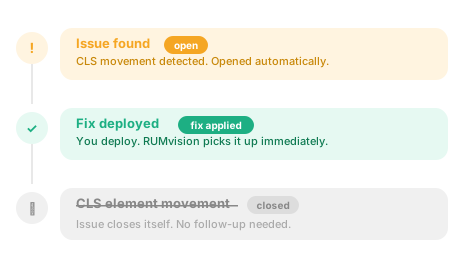
Health Checks analyze your real user data and turn it i…
Below is an impression of our LCP fetchpriority health check:
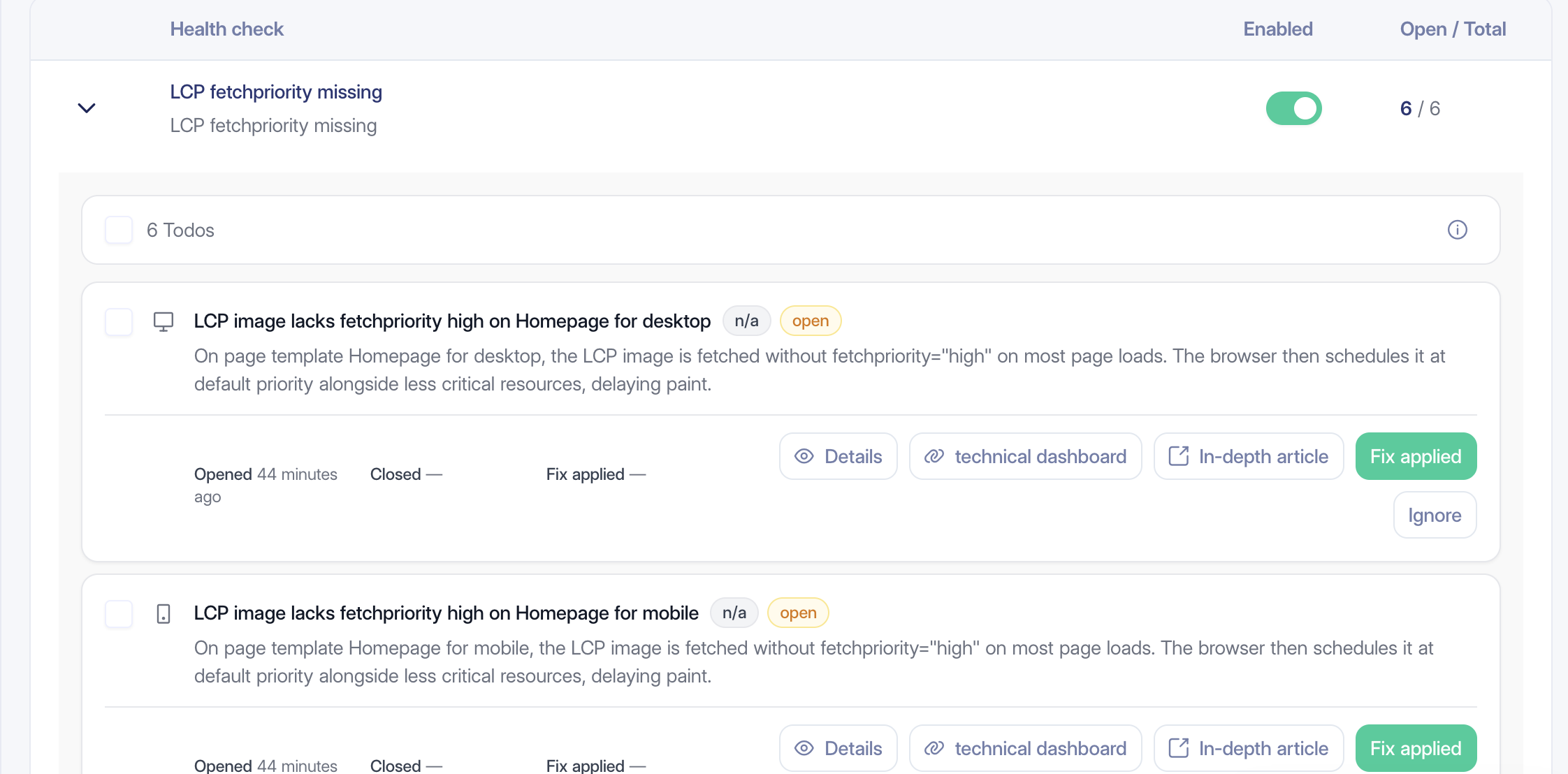
Very convenient when your LCP metric is failing, especially since the Largest Contentful Paint metric is now supported in all major browsers. In other words, this health check gives site owners full LCP visibility.
Baseline 2025
Newly available
Largest contentful paint (LCP) works across the latest devices and browser versions.
Largest contentful paint (LCP) might not work in older devices or browsers.
- Supported as of Chrome 77, Edge 79, Firefox 122 and Safari 26.2
- Resulting in full support since December 12, 2025
- Continue reading about largest contentful paint
Register to RUMvision to see more resources and learn if your website visitors would already benefit from this feature today.
What is the fetch priority attribute?
Browsers try to guess what is important when a page loads. They prioritize things they know they need immediately, like CSS, but they tend to treat images as low-priority by default. The browser usually waits until it starts rendering the page to realize an image is actually in the viewport.
This "discovery delay" can be bad for your LCP. The Fetch Priority API lets you override the browser's guesswork. By adding fetchpriority="high", you tell the browser that a specific image is critical and should be moved to the front of the download queue immediately.
While this was previously called "Priority Hints," it is now a standard API supported by all modern browsers- including Chrome, Edge, Safari, and Firefox. It acts as a hint, meaning it won't break anything in older browsers; they will simply ignore it and load the image as they normally would.
Our healthchecks even check for 2 LCP fails at once
Our automated healthchecks don't just look for the presence of a priority hint; they also check for another common LCP bottleneck.
The most common culprit is loading="lazy" on an LCP element. Lazy loading tells the browser to wait until the layout is calculated to start the download. If you combine that with a default low priority, your hero image is essentially being told to stay at the back of the line.
When RUMvision flags an LCP element, it is often a two-for-one fix:
Remove the
loading="lazy"attribute so the browser sees the image immediately.Add a
fetchpriority="high"attribute to ensure it is downloaded first.
Data shows most platforms are missing this opportunity to boost LCP
We analyzed how different platforms handle LCP images, and the results from our RUMvision dataset from March 2026 show a massive opportunity in optimization across the web.
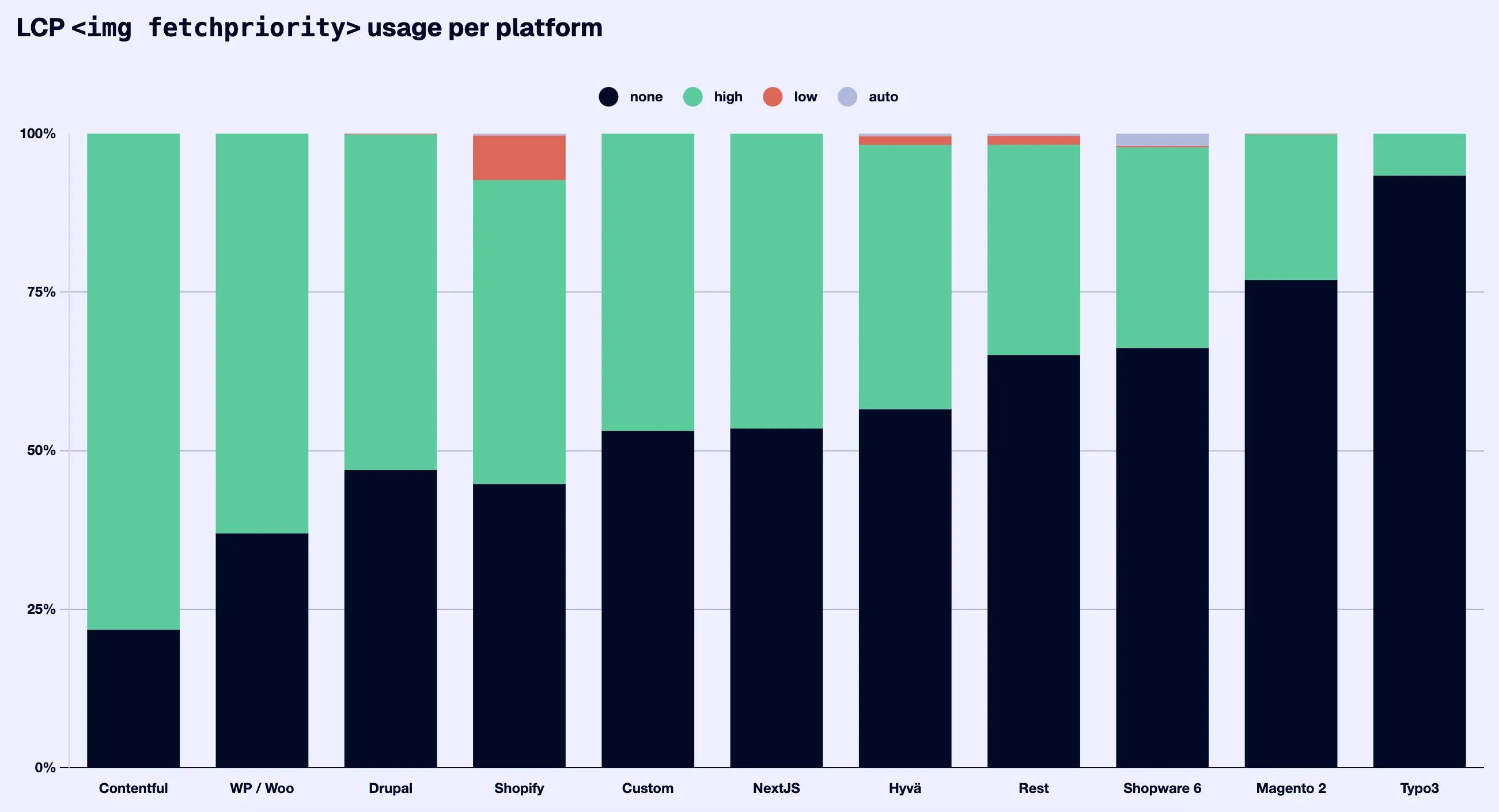
Magento 2 and Typo3: these platforms have a very low adoption of fetch priority. A huge LCP boost could be added by fixing this.
Also surprising, our data shows that Shopify is frequently using
fetchpriority="low"on elements that turn out to be the LCP. This is an active performance penalty, explicitly telling the browser to de-prioritize the most important content on the page.Even on platforms like WordPress or Contentful - with quite a good adoption rate - show a large portion of sites still rely on "auto" or "none," leaving easy performance gains on the table.
Implementation specifics
To make sure the attribute actually works, keep these implementation details in mind:
Picture elements: If you use the
<picture>tag for responsive images, add thefetchpriorityattribute to the underlyingimgtag, not the<source>tags.Preloads: You can also use this with preloaded images in your header:
<link rel="preload" as="image" href="hero.webp" fetchpriority="high">.Avoid adding a fetch priority for everything: Do not set every image on your page to high priority. If everything is "high," then nothing is. This attribute should be used with care, targeting only the one or two elements that actually trigger the LCP.
Why it's a lot of work if you rely on manual or labdata for this
The "largest" element on your page changes depending on the screen size and device. That's why we automated this check, so you never have to chase different scenarios again.
A user on a small iPhone might trigger a text block as the LCP, while a user on a large Android device sees a hero image. A 13-inch laptop vs. a 32-inch monitor can result in entirely different LCP elements. Because there are thousands of possible viewports, you cannot rely on a single Lab test or a manual DevTools check to find every LCP image.
But also, a cookie notice might be your LCP the first time you visit the site, but not after accepting it.
How the RUMvision health check works
Our 9th health check uses your real user data to identify exactly which elements act as the LCP for your actual visitors. It runs across all your templates and handles device fragmentation automatically.
If a specific image frequently serves as the LCP for a segment of your audience but lacks the fetchpriority="high" attribute- or is being throttled by loading="lazy"- it pops up as a recommendation. This lets you stop guessing and start applying fixes that actually help your real users experiences - and thus your LCP scores.
Stop guessing which images are slowing down your site
Our automated health checks do the heavy lifting by identifying exactly where adding fetchpriority="high" can help you improve your Core Web Vitals. Instead of manually testing every device and template, let RUMvision point you directly to the optimizations that matter. Easy peasy, like running Core Web Vitals on autopilot.
Want to give it a try?


